<
Fog Overview
Fog Overview

26 Nov 2024
BP
Fog over the WorldMap
Definition
How To
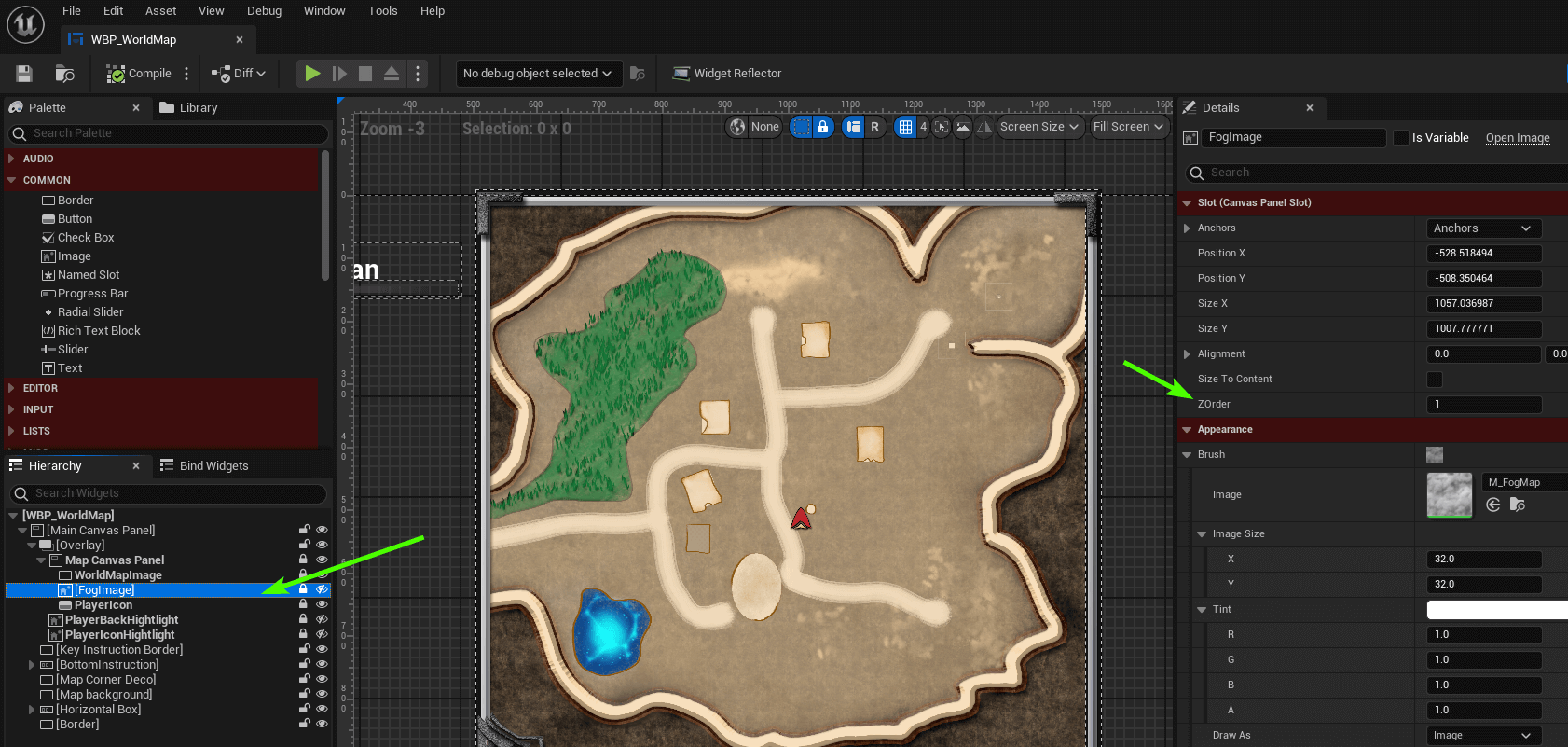
The fog is placed over the world map using a simple Image widget in the container canvas of the world map.
- Location: Map Navigation > UI > WorldMap > WBP_WorldMap
- Look for the widget "FogImage"
- Note the FogImage has a ZOrder=1, icon that are added as ZOrder 0 will be below the fog and icon that
are ZOrder 2 will always be over the fog(that is always visible even undiscovered area)
- An icon covered with fog cannot be interactable with the mouse(hover tooltip, SetWaypoint) unless that area is explored or set as OverlayFog.